
Why Dartantic?
Dartantic was born out of frustration with not being able to easily use generative AI in my Dart and Flutter apps without doing things in a very different way based on the model I chose and the type of app I was building, i.e. GUI, CLI or server-side. It’s all Dart — why can’t I use all the models with a single API across all the apps? As an example of the kinds of apps that I wanted to build, consider CalPal, a Flutter app that uses Dartantic to build an agentic workflow for managing a user’s calendar. Check out this screenshot: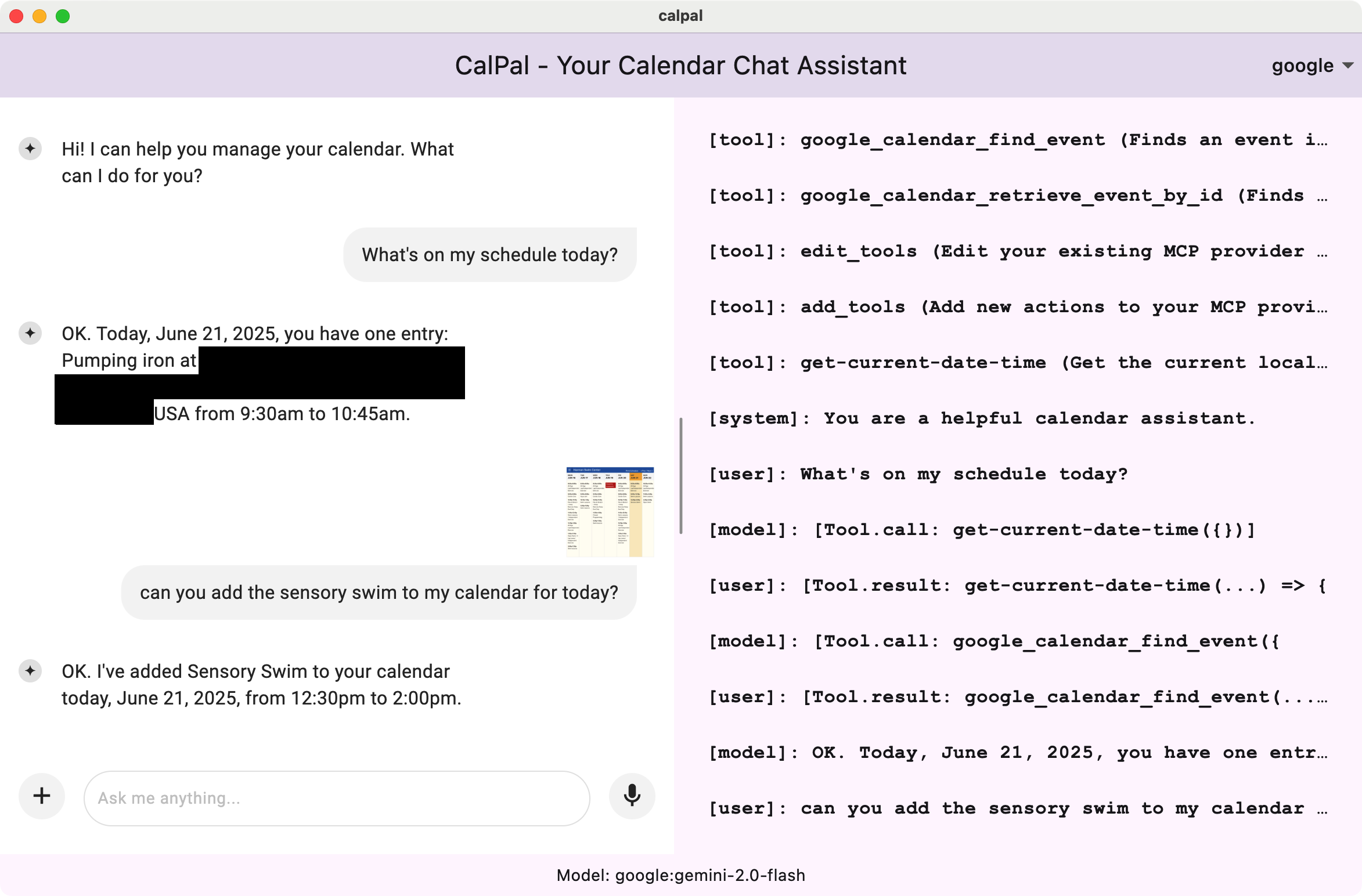
What is Dartantic AI?
One API, multiple provider configurations out of the box:- Agentic behavior with multi-step tool calling: Let your AI agents autonomously chain tool calls together to solve multi-step problems without human intervention.
- Multiple Providers Out of the Box - OpenAI, OpenAI Responses, Google, Anthropic, Mistral, Cohere, Ollama, and more
- OpenAI-Compatibility - Access to literally thousands of providers via the OpenAI API that nearly every single modern LLM provider implements
- Streaming Output - Real-time response generation
- Typed Outputs and Tool Calling - Uses Dart types and JSON serialization
- Multimedia Input - Process text, images, and files
- Media Generation - Stream images, PDFs, and other artifacts from OpenAI Responses, Google Gemini (Nana Banana), and Anthropic code execution
- Embeddings - Vector generation and semantic search
- Model Reasoning (“Thinking”) - Extended reasoning support across OpenAI Responses, Anthropic, and Google
- Provider-Hosted Server-Side Tools - Web search, file search, image generation, and code interpreter via OpenAI Responses, Anthropic, and Google
- MCP Support - Model Context Protocol server integration
- Provider Switching - Switch between AI providers mid-conversation
- Production Ready: Built-in logging, error handling, and retry handling
- Extensible: Easy to add custom providers as well as tools of your own or from your favorite MCP servers
Installation
Quick Examples
Basic Chat
Streaming
Tools
Embeddings
Multi-Provider Conversations
Examples
See complete working examples:Next Steps
- Quick Start Guide
- Providers - Available providers and capabilities
- Extended Thinking - Surface model reasoning alongside responses
- Server-Side Tools - Built-in provider tools